CEO
Most help desks automate password resets and stop there, but four other workflow categories quietly drain far more agent hours. Focusing automation on all five categories is what actually reduces workload.
Picture a help desk that automated password resets two years ago and hasn't touched another workflow since. Agents still log ten hours a week on tasks nobody tracks on a dashboard. Help desk automation was supposed to fix that, yet most teams still only scratch the surface.
Many businesses in Chicago have chased that same quick win, automating the obvious while the real time drains hide in workflows nobody thinks to measure. Those quieter tasks rarely get automated first, precisely because they're harder to see.
That blind spot has a cost: automating only the most visible problems leaves the real bottlenecks untouched, so the same fires keep getting fought week after week.
Breaking that cycle means looking past the basics to the full shape of the problem. Five workflow categories drain a help desk, and knowing all five is what lets a team target what actually matters.

Automating password resets is usually the first move any IT team makes, and it's an easy one to justify since the gains are simple to measure. Yet once that single workflow is automated, most help desks notice their overall workload barely moves.
That's because password resets are only one piece of a much larger puzzle. They happen often, but they rarely eat the most time or demand the most steps, so automating this category alone leaves every other demanding workflow exactly as it was.
That gap creates a false sense of progress: a team can point to one solved problem while the same volume of tickets keeps arriving from every other direction. Agents end up spending most of their hours on tasks that could just as easily be automated, but aren't.
Because password resets alone don't move the needle, the real opportunity sits across five distinct workflow categories, each draining agent hours in its own way. Automating across all five, rather than just the easiest one, is what actually changes productivity and service quality.
These remain the classic automation candidate, since users forget passwords constantly and automated tools can handle resets quickly and securely. It's the most common workflow to automate, and also just the starting point.
Every new hire or departure means accounts need creating or removing across multiple systems at once. Automating onboarding and offboarding closes the gaps that manual steps tend to leave and spares agents the repetition.
Right behind provisioning sit access requests: adding someone to a file share, removing them from a group, the kind of change that follows the same pattern every time. Automated workflows can apply pre-set rules to these changes directly, cutting both errors and delays.
Installing or updating applications is routine, yet it still consumes real agent time device by device. Automated deployment tools push software and updates to many devices simultaneously, freeing agents for problems that actually need judgment.
Agents also lose hours just watching systems: checking logs, sending alerts, confirming nothing's wrong. Automation can run those checks continuously and surface a notification only when something genuinely needs a human, so agents step in for real problems instead of routine ones.
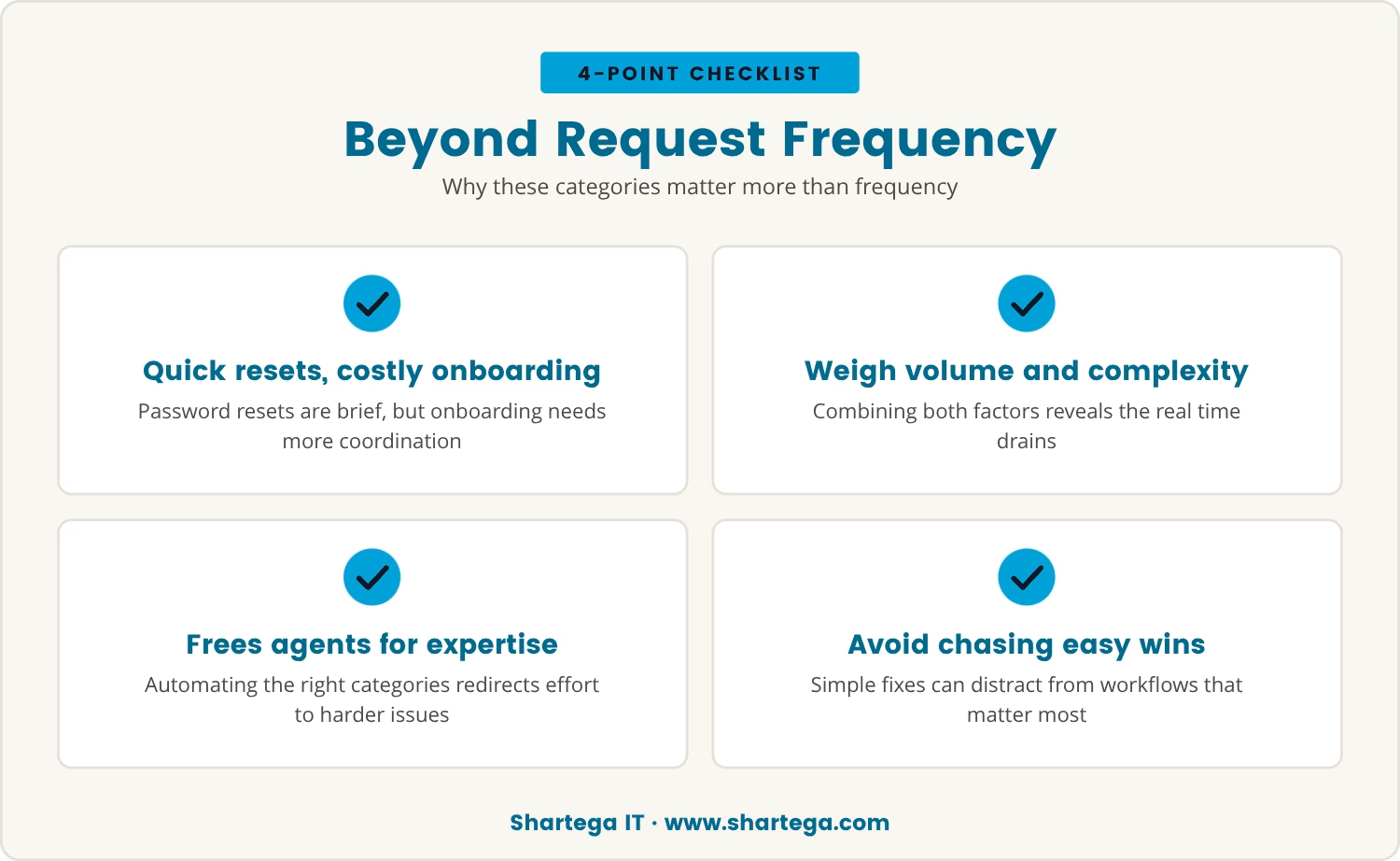
Given five categories to choose from, it's tempting to automate whichever requests arrive most often, but frequency alone doesn't predict impact. Password resets happen constantly yet take little time each; onboarding and access changes happen less often but pull in more steps and more coordination across systems.
Weighing volume against complexity together, rather than volume alone, is what reveals which workflows are actually draining a team's time. Automating those categories is what frees agents from repetitive work and redirects them toward issues that need real expertise.
That same lens also guards against a subtler risk: chasing only the easy wins and missing the workflows that would actually move the needle for the help desk.
For businesses in Chicago, this trade-off carries extra weight because the pressure to deliver fast, reliable support never really lets up. Local teams often juggle legacy systems alongside modern cloud tools, and that mix makes manual processes slower to untangle than they'd be in a simpler environment.
Automating across all five workflow categories gives Chicago businesses a way to manage that complexity directly. Agents stop being tied down by repetitive tasks and gain room to focus on the complicated issues that genuinely need local knowledge or hands-on support.
If onboarding or software updates are still handled by hand on your team, it's worth asking how much time the right automated workflows could hand back.

With password resets already automated, the next step is finding out exactly where agents' hours actually go. Tracking which requests take longest or demand the most manual steps turns that question into a concrete plan.
Working through that list in order builds a roadmap aimed at the real workload drivers rather than whatever happens to be most visible.
Automating across all five workflow categories doesn't just save time; it changes how the help desk runs day to day. Agents stay available for complex troubleshooting instead of getting pulled into repetitive tickets, and users feel the difference in faster, more consistent service.
That consistency compounds over time into higher satisfaction for employees and IT staff alike, and it lowers the risk of errors since automated workflows repeat the same steps every time without drift. For businesses with 30 or more users, those gains accumulate fast.
Getting there means moving past the obvious fixes to the workflows that actually drain resources — that's the point where automation delivers its full value.

Many businesses with 20 to 300 users automate password resets but still see agents tied up with repetitive requests. At Shartega IT, we know how quickly those hours add up when the rest of your workflows stay manual.
If you’re ready to see how we approach automation beyond the basics, let’s talk about your current setup and what could change for your team.
Sign up with Shartega and get your first 2 months free—an easy way to see the impact of smarter automation without extra cost.
Automating onboarding ensures that new users get access to all required systems and tools without manual intervention. This reduces delays, prevents errors, and allows IT agents to focus on more complex support issues instead of repetitive account setup tasks.
Common tasks like software installations, permissions changes, and routine notifications can all be automated. Setting up automated workflows for these requests means agents spend less time on manual steps and more on higher-value activities.
Yes, automated notifications and alerts can help ensure that important system events are never overlooked. By having alerts routed directly to the right team members, missing a critical incident becomes far less likely and response times improve.
Automated deployment tools can push software updates to multiple devices at once, regardless of their location. This approach streamlines the update process, keeps systems secure, and minimizes downtime for users.
Start by reviewing ticket data to see which requests take the most time or involve the most manual steps. Focus on automating workflows that are both repetitive and time-consuming, rather than just the most frequent.


