CEO
Letting every department choose its own password manager creates more risk than allowing password reuse under one system. Fragmented tools mean you lose visibility, making it easier for breaches to go unnoticed and harder to respond before real damage is done.
When a password manager for business is picked without a plan, the fallout can be real. Data leaks, lost access, and silent breaches can cost money and trust in ways that are hard to fix.
A single weak spot in your digital defenses can go unnoticed for weeks if you have no way to see the whole picture at once. The risk isn’t just about passwords being reused—it’s about not knowing where the cracks are until it’s too late.
Password managers are supposed to make things safer and easier. They store passwords, help teams share credentials, and keep business accounts protected. But when every department uses a different tool, the very thing meant to help can turn into a hidden risk.
Let’s look at why letting each team pick its own password manager can leave your business more exposed than you might expect.

When each department in a company uses its own password manager, no one has a full view of who has access to what. This lack of central oversight means that if one account is compromised, it might not be noticed until damage is already done.
Without a unified system, IT teams can’t see patterns or spot unusual activity across the business. If a sales team uses one tool and finance uses another, there’s no way to track password health or enforce strong password rules for everyone.
This fragmentation also makes it harder to respond quickly when something goes wrong. If a breach happens in one department, other teams might not even know they’re at risk. The result is a patchwork of security gaps that can be hard to close.
It might sound surprising, but letting staff reuse weak passwords under a single, unmanaged system can sometimes be less dangerous than having multiple password managers with no central control. Here’s why: when everyone is in one place, even if the passwords aren’t strong, at least you can see what’s happening.
Centralized visibility means IT can spot suspicious logins, reset credentials, and enforce changes if needed. If a password is reused, it’s easier to track and address the problem. But when every department hides behind its own vault, a breach can stay hidden for much longer.
This isn’t an argument for weak passwords. It’s a warning that scattering tools can make it harder to spot and fix problems before they grow.
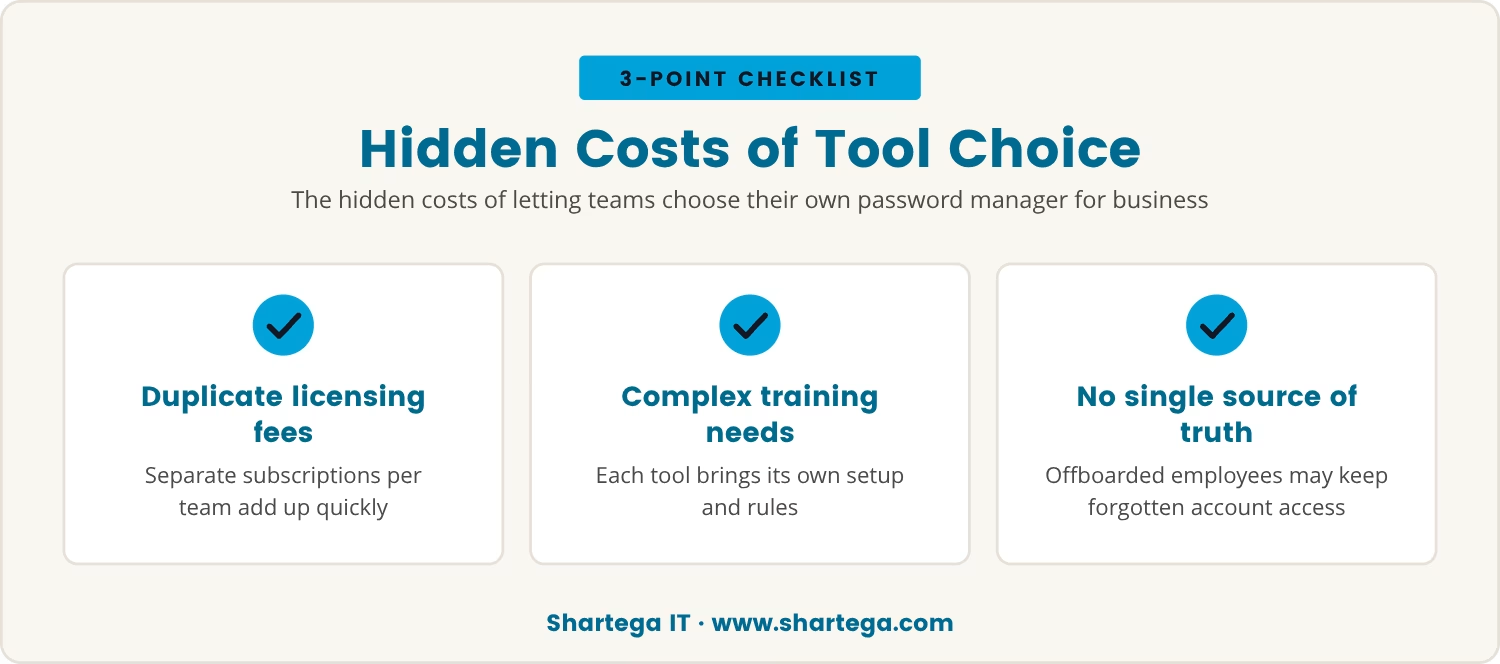
When businesses in Chicago let each department pick its own password manager for business, they often overlook the hidden costs. Licensing fees add up as different teams pay for separate subscriptions. Training becomes more complicated, since each tool has its own setup and rules.
Support issues multiply. If someone forgets how to use their department’s tool or loses access, IT has to juggle multiple systems to help. This slows down response times and increases frustration for everyone involved.
Most importantly, there’s no single source of truth. When an employee leaves, it’s easy to miss accounts they had access to if those accounts are spread across different platforms. This can leave sensitive data exposed long after someone’s gone.
Central oversight means having one place to manage all business passwords and access. With a business password manager, you can set company-wide rules for password strength, sharing, and updates.
This makes it easier to spot risky behavior, like sharing passwords in unsafe ways or using the same password across multiple accounts. IT teams can quickly revoke access when someone leaves or changes roles, reducing the risk of old accounts being misused.
Centralized tools also make compliance simpler. If your business needs to follow regulations about data security, having everything in one place makes audits and reporting much less stressful.
When every department uses a different password manager, it’s easy for a compromised account to slip through the cracks. Without a single dashboard, IT teams can’t see failed login attempts, suspicious access from new locations, or changes to shared credentials.
Attackers often look for the weakest link. If they get into one department’s tool, they might stay hidden for weeks, moving from account to account. By the time someone notices, sensitive data could already be gone.
Centralized systems help spot these patterns early. They alert you when something unusual happens, so you can act before a small problem turns into a major breach.
Choosing the right password manager isn’t just about features—it’s about how well it fits your business and keeps everyone connected. Here’s what matters most:
A good business password manager lets you manage all users and accounts from one place, making oversight simple and effective.
Look for tools that require strong passwords and regular updates, so weak credentials don’t slip through.
The best password managers for business make it easy to share credentials safely, without sending them over email or chat.
Detailed logs and reports help you track who accessed what and when, making it easier to spot problems early.
Adding new team members or removing access when someone leaves should take minutes, not hours.
Choose a password manager that works well with your current tools, like Google Workspace or other management tools.
When password management is scattered, these risks become harder to control:
Letting every department pick its own password manager might feel flexible, but it creates more risk than it solves. Without a single system, you lose visibility, slow down your response to threats, and open the door to hidden breaches.
A unified approach doesn’t just make IT’s job easier—it protects your business from the kinds of problems that can quietly grow out of sight. For companies in Chicago and beyond, the safest path is to keep password management under one roof.

Many businesses with 20 to 300 users find themselves juggling multiple password tools, especially as teams grow and needs change. At Shartega IT, we see how this patchwork approach can make security harder to manage and problems easier to miss.
We invite you to see how our team helps businesses like yours bring password management under one roof, making oversight simpler and risks easier to spot.
Sign up with Shartega and get your first 2 months free—an easy way to see the benefits of unified password management for your business.
Start by explaining the risks of using different tools, like missed breaches and higher support costs. Show how a unified system makes everyone’s job easier and keeps the business safer.
Look for secure password sharing, centralized control, and easy onboarding. A good tool should also let you enforce strong password policies without making things complicated for your team.
No, password strength still matters. Even with a password manager, you should set rules for strong, unique passwords and make sure they’re updated regularly.
A business password manager lets you quickly remove access for anyone who leaves. This reduces the risk of old accounts being misused or forgotten.
Migration can take some planning, but most modern password managers offer import tools to help move data. It’s worth the effort for better security and simpler management.


